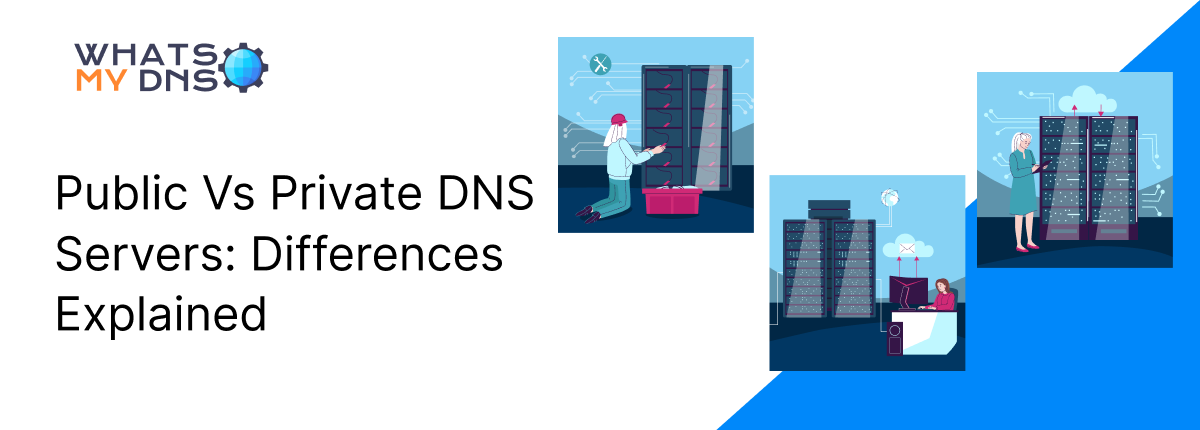
Public Vs Private DNS Servers: Differences Explained
- 24 April 2026
DNS servers are specialized servers that map (translate) domain names to their corresponding Internet Protocol (IP) addresses. DNS servers can be both public and private.
Public DNS servers are accessible globally over the internet and can be used by anyone. Private DNS servers are limited to an organization’s internal (local) network.
No one outside the local network can access the private DNS server. Continue reading to learn the key differences between public DNS servers and private DNS servers.
What Are Public DNS Servers?
Public DNS servers are third-party resolvers that are responsible for translating a domain name entered on the Internet into its corresponding IP address. It is accessible worldwide on the internet, and almost every online browsing session uses public DNS servers.
Online DNS information retrieval tools commonly use public DNS servers. For example, when you perform a DNS lookup using an online DNS record checker, the query is typically resolved through a public DNS resolver.
How Do They Work?
Public DNS works by resolving a domain name to its IP address. Here’s how it works in general:
- Users search for a website domain on the internet.
- The device that issues the request will first perform a local DNS lookup. Here, the device will check the cache to determine whether it already contains the IP address for the domain name.
- If nothing is found in the local DNS cache, the request is forwarded to the recursive resolver for further resolution.
- Resolver contacts the root name server to obtain the TLD server that holds the IP address information for that domain name.
- The TLD server tells the recursive resolver which authoritative server contains the IP address for the domain the user is searching.
- Resolver obtains the IP address from the authoritative server and returns the query to the device, resolving it so that the device can access the website.
That is how a public DNS server generally works. For more in-depth information, check out this blog post: What is DNS Server and How Does it Work?.
Key Characteristics of Public DNS
- Open to everyone on the internet
- Provided by third-party companies
- Easy to set up on devices or routers
- Resolves domain names to IP addresses
- Shared by many users worldwide
- Often faster than the default ISP DNS
- Limited customization or control
- May log DNS query data based on privacy policy
- Usually includes basic security features
- Does not access website content or user data
Popular Public DNS Providers
There are many public DNS servers available on the internet. Here you can check out the popular public DNS servers. The most famous and widely used global public DNS servers include:
- Cloudflare
- Comodo Secure DNS
- DNS.Watch
- OpenDNS
- Quad9
What Are Private DNS Servers?
Private DNS servers operate within an organization’s local network. Primarily, private DNS servers refer to private DNS zones that operate within a restricted cloud environment. They are used to provide everyone on the same network with access to different internal resources.
Some devices can also be configured to use a specific private DNS resolver for security or encryption. This is also sometimes referred to as a private DNS setup, though it’s not the same as an internal private DNS server.
How Do They Work?
The working of private DNS servers varies from that of public DNS servers. Here’s how private DNS works in practice to resolve a user query:
- User searches for a domain using a device connected to the local network.
- The device initiates a query to translate the domain into a relevant IP address.
- The query from the device is sent to the private DNS server within the local network or through a configured resolver. In some setups, encryption protocols such as DNS over TLS (DoT) and DNS over HTTPS (DoH) may be used, but they are not required for private DNS operation.
- The requested query reaches the private DNS server, which locates the IP address and responds to the device through the same network path.
- The IP address reaches the device, and the website or any other online service connects.
Key Characteristics of Private DNS Servers
- Restricted to devices within an organization or network
- Managed by the organization or a cloud provider
- Requires configuration on devices or network settings
- Resolves internal domain names and IP addresses
- Focused on security and privacy
- Can be customized with specific rules and policies
- Often uses encryption like DoT or DoH
How Public DNS Servers Differ From Private DNS Servers?
The table below represents the key differences between private and public DNS servers.
|
Feature |
Public DNS Servers |
Private DNS Servers |
|
Objective |
Converts public website names into public IP addresses. |
Converts internal names into internal IP addresses for the organization. |
|
Security |
Basic protection against phishing and malware. |
Stronger security, hides network info, and often uses encryption. |
|
Access |
Anyone with internet access can use it. |
Only users and devices inside the organization’s local network can use it. |
|
Control |
Managed by ISPs or companies like Google or Cloudflare. |
Managed by the organization or its cloud provider. |
|
Performance |
Fast globally, depending on the provider and location. |
Fast internally, especially for local queries. |
|
Customization |
Very limited, same setup for all users. |
Can be customized with rules, names, and filters. |
Wrapping Up
Public and private DNS servers are built for different use cases. Public DNS servers are easy to configure and commonly used for everyday internet browsing and DNS lookups. They offer good performance and basic security features for general users.
On the other hand, private DNS servers operate within an organization’s internal network. They are designed to resolve internal resources and offer greater control, customization, and security.
Related Blogs
What is a DNS NS Record?
Learn what a DNS NS record is, why it's important, and how it keeps your domain connected to the right servers.
- 28 Apr 2025

Troubleshooting DNS Propagation - How to Fix Common Domain Connection Errors
Learn how to solve DNS delays and fix domain connection issues easily.
- 30 Jun 2025
What is a DNS Zone: All You Need to Know About?
DNS Zones Made Easy — Understand What Keeps Your Domain Running
- 26 May 2025